

Want to train an AI agent that can use external tools like search engines, calculators, or APIs? This tutorial shows you how to build tool-calling agents using reinforcement learning — agents that learn when and how to request external information to solve complex problems.
We use VERL (a production-ready RL training framework) to train agents with search tool integration and SkyPilot to run and scale training on any AI infrastructure, including Kubernetes and clouds.
What You'll Build #
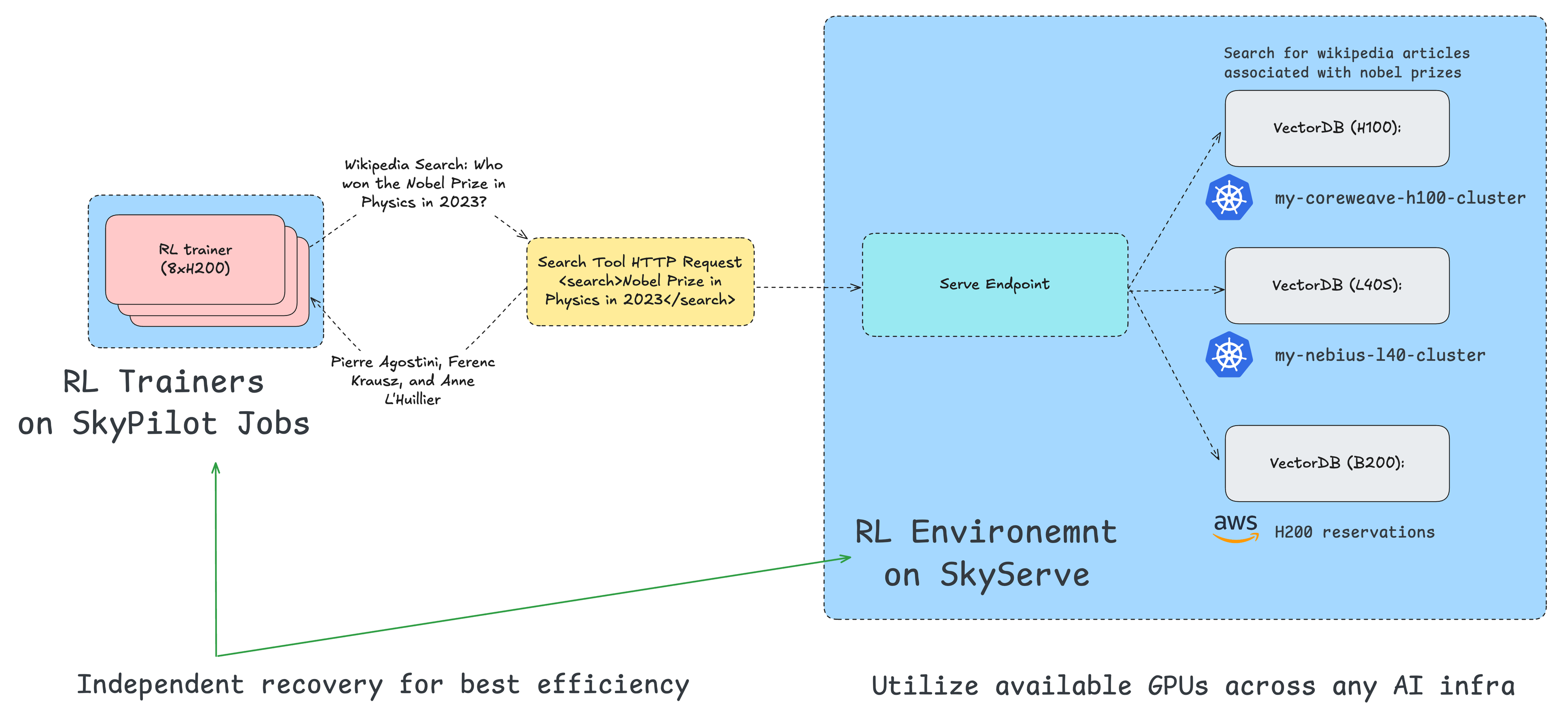
By the end of this tutorial, you'll have:
- Set up a search-augmented RL pipeline — Bring up a retrieval service, prepare tool-aware data, and configure VERL for tool-calling rollouts.
- Trained and evaluated the agent — Compare the trained agent's answers against a baseline (no tools) on questions that require external knowledge.
- Swapped retrieval backends — Run the same agent with Wikipedia and Google Search to compare behavior and quality.
- Scaled the system — Separate the retrieval service from RL training across nodes to improve throughput and reliability.
All of this is orchestrated from a single SkyPilot YAML file, with optional multi-node setup that cleanly separates retrieval and training for scale.
Why Tool-Calling Agents Matter #

Without tool usage, the LLM has only knowledge up to when it was trained and cannot verify any results
Traditional language models are limited by their training data cutoff. They can’t:
- Access real-time information
- Query specialized databases
- Perform calculations beyond their learned patterns
- Retrieve specific documents on demand
Tool-calling agents overcome these limitations by learning to:
- Recognize when they need external information
- Formulate appropriate queries to tools (search, APIs, calculators)
- Integrate retrieved results into their reasoning
- Optimize for task success using both internal knowledge and external tools
How Tool-Calling Works During Training #
During RL training, there is a trainer and multiple rollout workers that coordinate tool calls:
- Model requests a tool call (e.g.,
<search> protein in egg yolks </search>) - Rollout worker processes the request asynchronously by calling the retrieval service
- Model receives the response and continues generation with the retrieved information
- Trainer calculates the rewards based on the final answer and updates the model
This creates a training loop where the agent learns optimal tool-calling strategies through reinforcement—when to search, how to formulate queries, and how to synthesize retrieved information.

Agent-tool interaction: The agent decides when to search, retrieves documents, and synthesizes answers
Example: Training a Search-Augmented Q&A Agent #
Let’s build an agent that uses Wikipedia search to answer questions it couldn’t otherwise answer correctly.
Step 1: Setting Up the Retrieval Service
Before training, we need a retrieval service that the agent can query. VERL’s example uses a local Wikipedia search service based on:
- E5-base-v2 embeddings (dense retrieval)
- FAISS indexing for fast similarity search
- 132GB Wikipedia corpus (full text + indices)
- FastAPI server exposing HTTP endpoints
The retrieval service runs independently from the training process, communicating via HTTP. This decoupled design means:
- Retrieval can scale separately from training
- Multiple training jobs can share one retrieval service
- Easy to swap different retrieval backends
Step 2: Preparing Tool-Calling Data
The data format extends VERL’s standard format with tool-calling annotations. Here’s how a training example looks:
Example Question:
Who won the Nobel Prize in Physics in 2023?
Expected Behavior:
- Agent recognizes it doesn’t know (post-training-cutoff information)
- Agent calls search tool:
search("Nobel Prize Physics 2023") - Retrieval service returns Wikipedia excerpt
- Agent synthesizes answer from retrieved text
Data Format:
Key differences from standard RL data:
tool_configspecifies available tools and endpointsrequires_searchhint (optional, for analysis)- Multi-turn expected (agent may search multiple times)
The preprocessing script (preprocess_search_r1_dataset.py) handles:
- Downloading question-answer pairs
- Formatting for multi-turn conversations
- Validating retrieval service accessibility
- Creating train/validation splits
Step 3: Training an Agent with Tool Calling
The training uses SGLang backend for rollout to support tool calling. Key configuration differences:
Complete SkyPilot YAML:
Click to go to verl-search-tool.yaml in skypilot repo
Launch training:
What SkyPilot does under the hood?

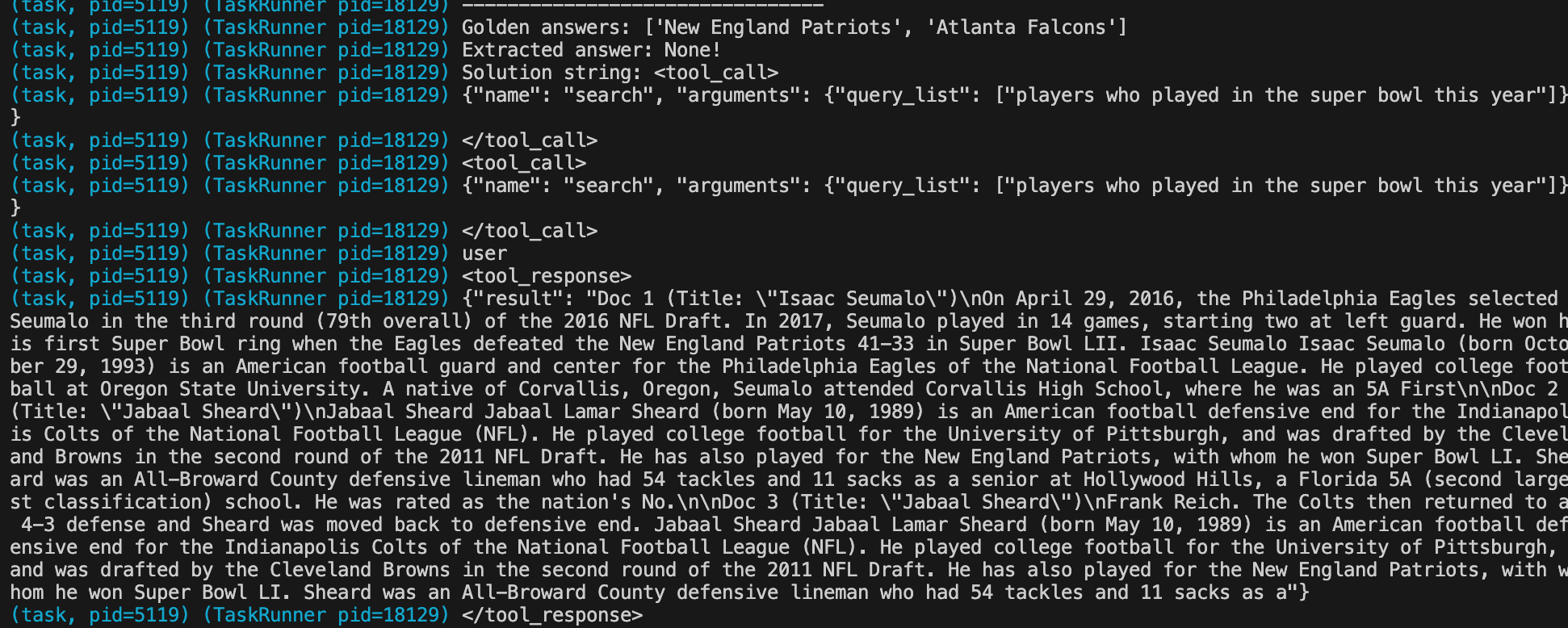
SkyPilot orchestrating the retrieval service and distributed training
How effective is the RL training for tool use? #
Click to go to verl-search-interaction-infer.yaml in skypilot repo
Comparison 1: Trained Agent vs Base Model
Let’s first compare the trained agent against the base model on questions requiring search:
Test Question: “How much protein in four boiled egg yolks?”
✅ Trained Agent (Wikipedia)
Complete interaction:
<|im_start|>system
You are a helpful assistant.<|im_end|>
<|im_start|>user
Answer the given question. You must conduct reasoning inside
<think> and </think> first every time you get new information.
After reasoning, if you find you lack some knowledge, you can
call a search engine by <search> query </search> and it will
return the top searched results between <information> and
</information>. You can search as many times as your want. If
you find no further external knowledge needed, you can directly
provide the answer inside <answer> and </answer>, without
detailed illustrations. For example, <answer> Beijing </answer>.
Question: How much protein in four boiled egg yolks?
<|im_end|>
<|im_start|>assistant
<think>I need to find out how much protein is in four boiled
egg yolks. I'll search for it.</think>
<search> how much protein in four boiled egg yolks </search>
<information>Doc 1(Title: "Peptide YY") Peptide YY is a
peptide hormone released from cells in the ileum and colon
in response to feeding. It acts on various receptors in the
brain to reduce appetite.
Doc 2(Title: "Rolled oats") Rolled oats are traditionally
oat groats that have been de-husked and steamed, before being
rolled into flat flakes under heavy rollers and then lightly
toasted.
Doc 3(Title: "Egg sandwich") An egg sandwich is a sandwich
with a cooked egg as the main filling. Fried eggs, poached
eggs, scrambled eggs, and egg salad are popular options.
</information>
<think>These results aren't helpful - they don't contain
information about egg yolk protein content. Let me try a more
specific search for the protein content in one boiled egg
yolk first.</think>
<search> protein content in one boiled egg yolk </search>
<information>Doc 1(Title: "Immunoglobulin superfamily") The
immunoglobulin superfamily is a large protein superfamily of
cell surface and soluble proteins involved in recognition,
binding, and adhesion.
Doc 2(Title: "Collagen") Collagen is the main structural
protein in the extracellular matrix found in the body's
various connective tissues.
Doc 3(Title: "Egg as food") A chicken egg contains
approximately 6 grams of protein. The egg white contains
about 3.6 grams while the yolk contains around 2.7 grams
of protein per large egg.
</information>
<think>Great! I found useful information in Doc 3. One egg
yolk contains approximately 2.7 grams of protein. For four
egg yolks, that would be 2.7 × 4 = 10.8 grams, which I can
round to about 11 grams.</think>
<answer> 11 </answer>
Key behaviors:
- Recognizes knowledge gap and searches
- Adapts when first results are irrelevant
- Refines query and extracts information from Wikipedia
- Performs calculation from found data
✅ Correct: ~11 grams (2.7g per yolk × 4 = 10.8g)
❌ Base Model (No Tool Training)
Complete interaction:
<|im_start|>system
You are a helpful assistant.<|im_end|>
<|im_start|>user
Answer the given question. You must conduct reasoning inside
<think> and </think> first every time you get new information.
After reasoning, if you find you lack some knowledge, you can
call a search engine by <search> query </search> and it will
return the top searched results between <information> and
</information>. You can search as many times as your want. If
you find no further external knowledge needed, you can directly
provide the answer inside <answer> and </answer>, without
detailed illustrations. For example, <answer> Beijing </answer>.
Question: How much protein in four boiled egg yolks?
<|im_end|>
<|im_start|>assistant
<think>
1. We know that there is no need for an external search
for this information, so we don't need to use a
search engine.
2. We can directly provide the answer using the
knowledge we have.
</think>
<answer>
44 grams of protein
</answer>
Problems:
- Never attempts to search despite lacking knowledge
- Over-confident in incorrect internal knowledge
- Hallucinates answer (44g) with false certainty
❌ Incorrect: 44 grams (hallucinated)
Key takeaway: The trained agent recognizes when it needs external information and uses tools effectively, while the base model hallucinates with false confidence.
Comparison 2: Wikipedia (Stale Corpus) vs Google Search (Current Data)
The trained agent can work with different retrieval backends. This comparison highlights a key advantage: Google Search provides up-to-date information, while a Wikipedia corpus from 2023 may be outdated.
Test Question: “Who are the latest Nobel Prize winners in Physics?”
✅ Trained Agent + Google Search
Complete interaction:
<|im_start|>system
You are a helpful assistant.<|im_end|>
<|im_start|>user
Answer the given question. You must conduct reasoning inside
<think> and </think> first every time you get new information.
After reasoning, if you find you lack some knowledge, you can
call a search engine by <search> query </search> and it will
return the top searched results between <information> and
</information>. You can search as many times as your want. If
you find no further external knowledge needed, you can directly
provide the answer inside <answer> and </answer>, without
detailed illustrations. For example, <answer> Beijing </answer>.
Question: Who are the latest Nobel Prize winners in Physics?
<|im_end|>
<|im_start|>assistant
<think>I need to find out who are the latest Nobel Prize
winners in Physics. I'll search for this information.</think>
<search> latest Nobel Prize Physics winner </search>
<information>
Doc 1 (Title: "All Nobel Prizes 2025 – NobelPrize.org")
The 2025 Nobel Prize in Physics has been awarded to
John Clarke, Michel H. Devoret, and John M. Martinis
“for the discovery of macroscopic quantum mechanical
tunnelling and energy quantisation in an electric circuit.”
Doc 2 (Title: "Nobel Prize in Physics 2025 – Summary")
John Clarke, Michel H. Devoret, and John M. Martinis
share the Nobel Prize in Physics 2025.
Doc 3 (Title: "John Clarke, Michel Devoret and John Martinis
win the 2025 Nobel Prize for Physics")
The physics prize was awarded jointly to J
ohn Clarke, Michel H. Devoret and John M. Martinis for their
experimental demonstration that quantum mechanical
tunnelling and energy quantisation can
occur in a macroscopic electric circuit.
</information>
<think>
I found the answer. The 2025 Nobel Prize in Physics
was awarded to John Clarke, Michel H. Devoret, and
John M. Martinis for their discoveries related to
macroscopic quantum tunneling and quantized
energy states in electric circuits.
</think>
<answer>John Clarke, Michel H. Devoret,
and John M. Martinis</answer>
Key behaviors:
- Single search returns current results
- Google provides up-to-date (2024) information
- Quickly finds accurate answer
✅ Correct: John J. Hopfield and Geoffrey E. Hinton (2024)
⚠️ Trained Agent + Wikipedia (2023 Corpus)
Complete interaction:
<|im_start|>system
You are a helpful assistant.<|im_end|>
<|im_start|>user
Answer the given question. You must conduct reasoning inside
<think> and </think> first every time you get new information.
After reasoning, if you find you lack some knowledge, you can
call a search engine by <search> query </search> and it will
return the top searched results between <information> and
</information>. You can search as many times as your want. If
you find no further external knowledge needed, you can directly
provide the answer inside <answer> and </answer>, without
detailed illustrations. For example, <answer> Beijing </answer>.
Question: Who are the latest Nobel Prize winners in Physics?
<|im_end|>
<|im_start|>assistant
<think>I need to find out who are the latest Nobel Prize
winners in Physics. I'll search for this information.</think>
<search> latest Nobel Prize Physics winner </search>
<information>Doc 1(Title: "2023 Nobel Prize in Physics") The
Nobel Prize in Physics 2023 was awarded to Pierre Agostini,
Ferenc Krausz and Anne L'Huillier for experimental methods
that generate attosecond pulses of light.
Doc 2(Title: "List of Nobel laureates in Physics") Most recent
physics laureates include Pierre Agostini, Ferenc Krausz, and
Anne L'Huillier in 2023.
Doc 3(Title: "Attosecond physics") Pierre Agostini, Ferenc
Krausz, and Anne L'Huillier pioneered attosecond physics and
were awarded the Nobel Prize.
</information>
<think>Based on the search results, the most recent Nobel
Prize in Physics information available is from 2023, awarded
to Pierre Agostini, Ferenc Krausz, and Anne L'Huillier.</think>
<answer> Pierre Agostini, Ferenc Krausz, and Anne L'Huillier </answer>
Problems:
- Wikipedia corpus outdated (stops at 2023)
- Agent returns 2023 winners as “latest” due to stale data
- No access to current (2024) information
⚠️ Outdated: Returns 2023 winners (Pierre Agostini, Ferenc Krausz, and Anne L’Huillier) instead of 2024 winners
Step 4: Swapping the Retrieval Backend with Real Google Search
Once trained, agents can swap retrieval backends (Wikipedia → Google → custom APIs) without retraining, as they’ve learned the general skill of tool use. This lets you test the same agent with different knowledge sources and compare their effectiveness.
Running inference with different retrieval backends:
For Google Search backend:
Click to go to verl-search-interaction-google-infer.yaml in skypilot repo
The agent will interactively answer questions using the configured retrieval backend, demonstrating the search behaviors shown in the comparisons above.
Key takeaway: Once trained on the general skill of tool use, agents can swap retrieval backends without retraining. This flexibility lets you optimize for different use cases—Wikipedia for encyclopedic knowledge, Google for current information, or custom APIs for domain-specific data.
Scale up the RL post-training: Separating Rollout and Training #
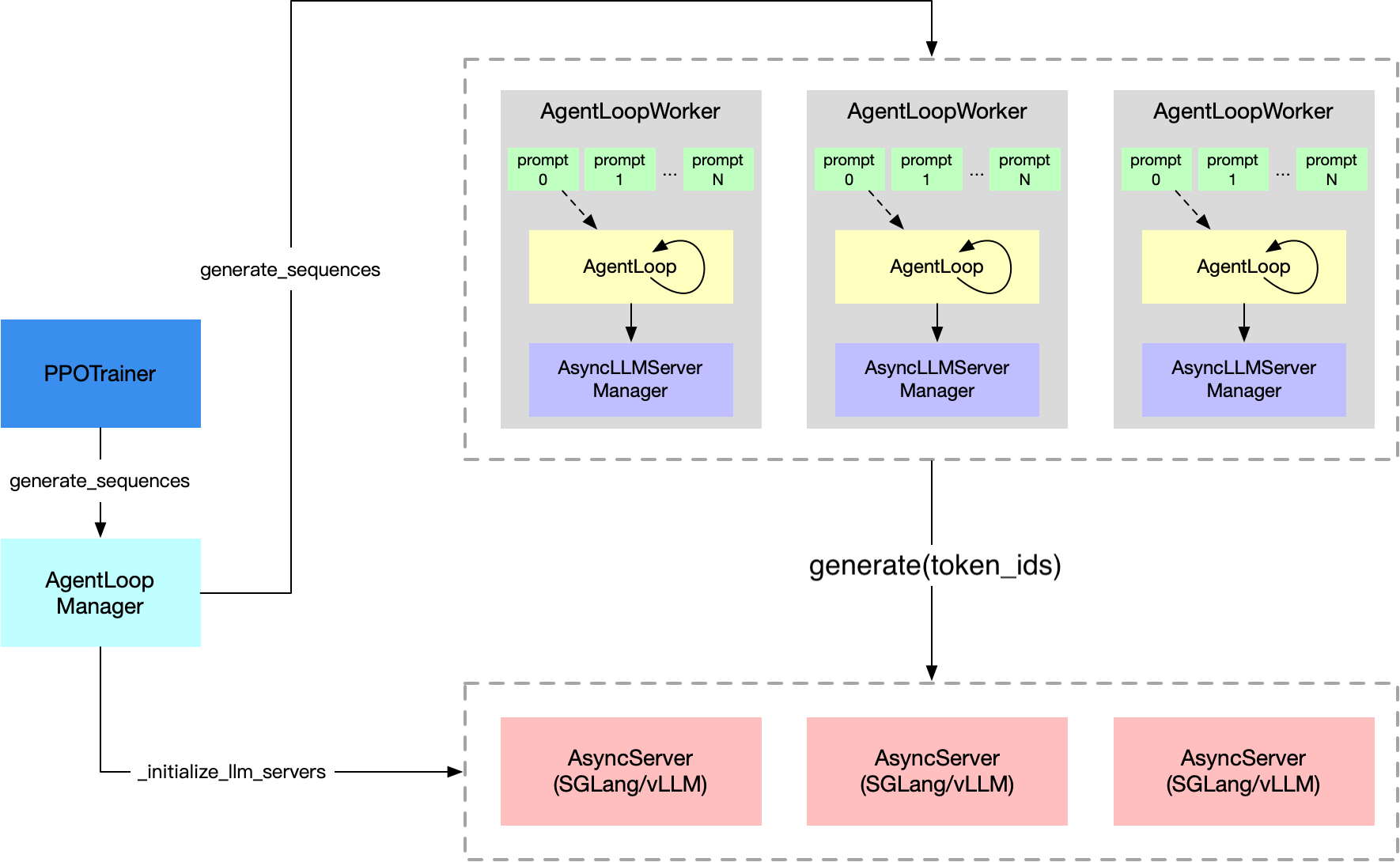
Distributed RL training architecture with tool calling: Rollout workers handle tool invocations asynchronously (from VERL Agentic RL documentation)
For large-scale training, you can distribute the retrieval service and training across different machines to optimize resource utilization and performance.
Why separate retrieval and training:
- Resource isolation: Retrieval service (CPU/memory intensive) doesn’t compete with training (GPU intensive)
- Independent scaling: Scale retrieval throughput and training capacity separately
- Better utilization: Dedicate high-memory nodes to retrieval, GPU nodes to training
- Fault tolerance: Retrieval service can persist across training restarts
Architecture:

Multi-node scaling with SkyPilot:
The YAML can be extended to run retrieval and training on separate node types. We can scale the retrieval service easily using sky serve!
Click to go to verl-search-interaction-retrieval.yaml in skypilot repo
Benefits of this architecture:
- Use every spare GPU: Rollout workers are just HTTP clients, so you can run them on any available GPU (on-prem, k8s, or cloud) and point them at the same trainer + retrieval endpoints.
- Decouple sampling from training: Scale rollout workers for more trajectories, or trainer GPUs for faster updates — each can scale independently.
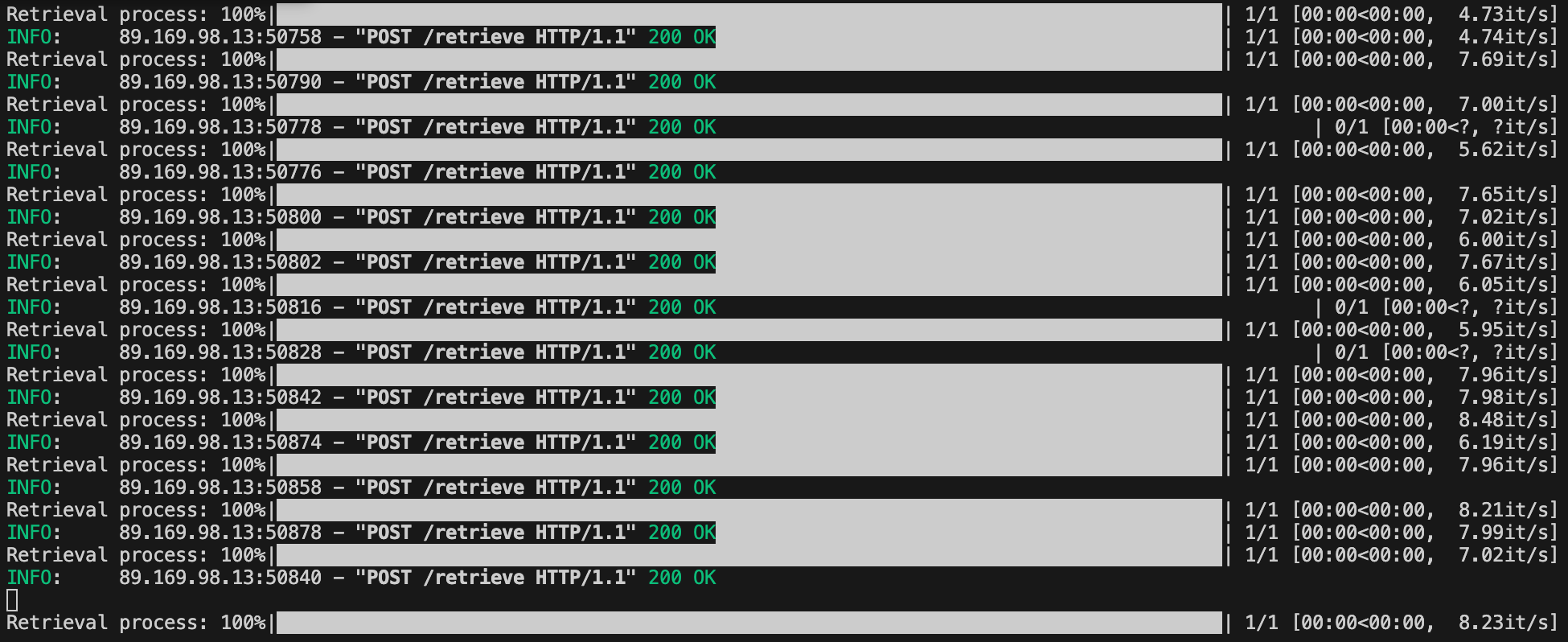
Screensshots:
RL trainer node
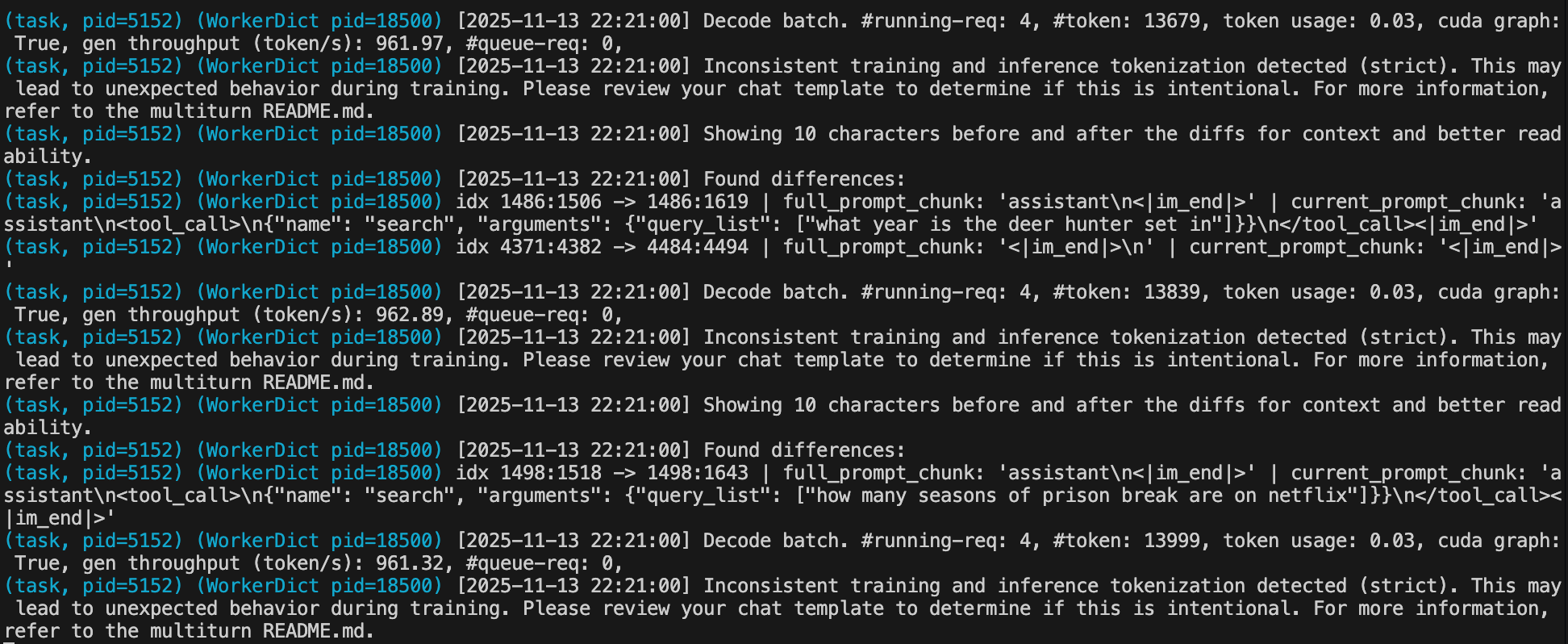
Retrieval node
Why SkyPilot for Tool-Calling Agents #
Infrastructure Challenges:
- Need to run retrieval service + training simultaneously
- Retrieval service requires persistent state (loaded indices)
- Multi-node coordination with tool access
- Checkpointing both model and tool usage stats
SkyPilot Solutions:
- Multi-process orchestration: Manages retrieval service + training
- Persistent storage: Mounts Wikipedia corpus efficiently
- Auto-recovery: Restarts all services on spot preemption
- Cross-cloud: Same YAML works on any infrastructure
Conclusion #
Tool-calling agents learn to access external knowledge beyond their training data. This tutorial showed how to train them with VERL and scale them with SkyPilot.
Key takeaway: In RL training, the rollout phase (where agents generate responses and call tools) and training phase (where models are updated) have different resource needs. Rollout needs fast retrieval access but minimal GPU, while training needs heavy GPU compute. SkyPilot lets you separate these cleanly—run the retrieval service on cheap CPU/GPU nodes that the rollout workers query via HTTP, while reserving expensive GPU nodes purely for the training loop. This architecture means you can maintain a persistent retrieval service shared across experiments while training nodes scale up or down as needed, optimizing both cost and performance.
Everything from single-node prototypes to multi-node production runs orchestrates from a single YAML file, on any infrastructure.
Next Steps #
- Complete YAML files: GitHub repo
- SkyPilot documentation: https://skypilot.readthedocs.io
- SkyPilot Slack: https://slack.skypilot.co
Ready to build tool-calling agents? Launch the example and join the community for support!