
On July 23, 2024, Meta released the Llama 3.1 model family, including a 405B parameter model in both base model and instruction-tuned forms. Llama 3.1 405B became the first open LLM that closely rivals top proprietary models like GPT-4o and Claude 3.5 Sonnet.
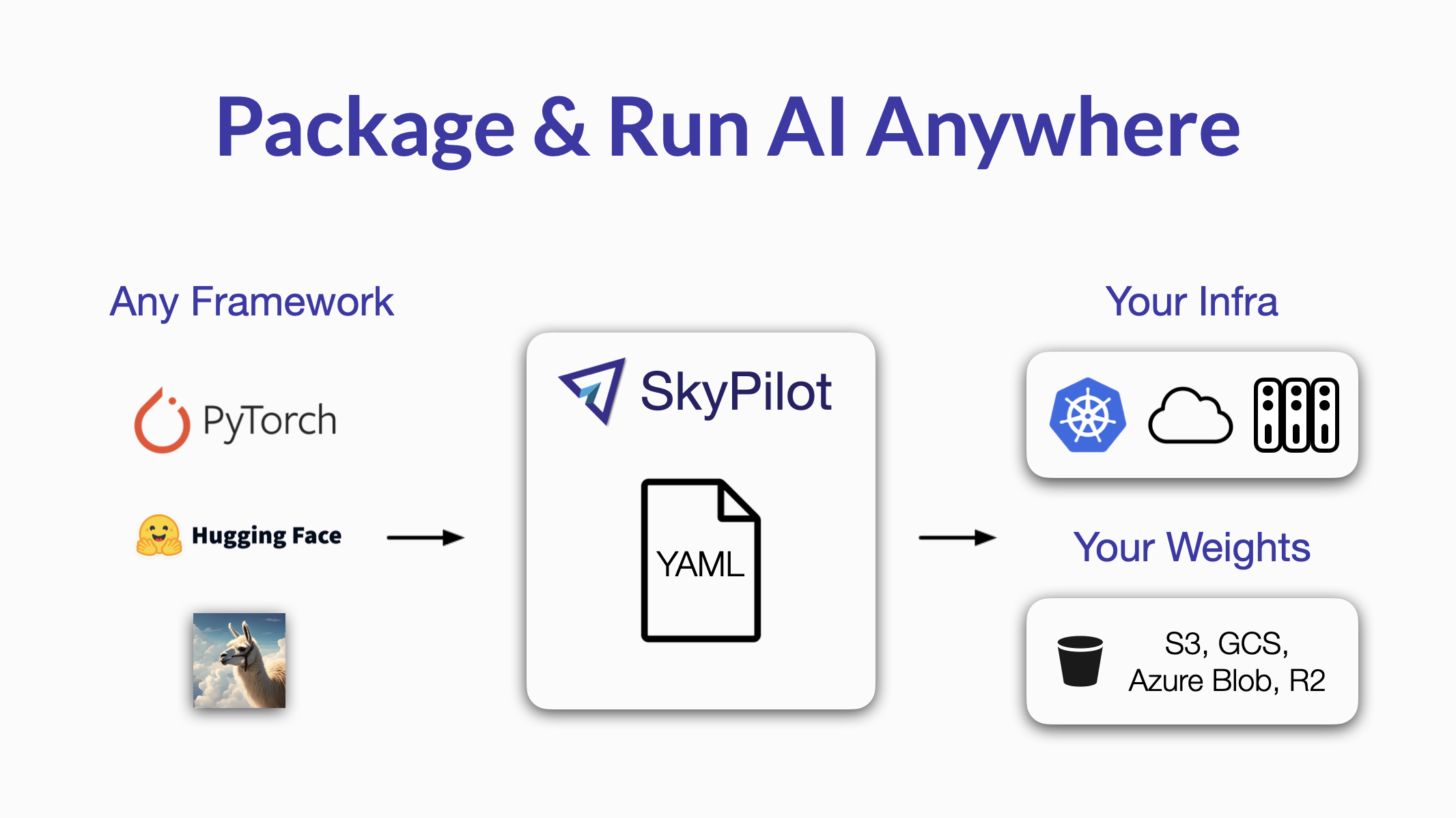
This guide shows how to use SkyPilot and torchtune to finetune Llama 3.1 on your own data and infra. Everything is packaged in a simple SkyPilot YAML, that can be launched with one command on your infra:
- Local GPU workstation
- Kubernetes cluster
- Cloud accounts (12 clouds supported)
Let’s finetune Llama 3.1 #
We will use torchtune to finetune Llama 3.1. The example below uses the yahma/alpaca-cleaned dataset, which you can replace with your own dataset later.
To set up the environment for launching the finetuning job, finish the Appendix: Preparation section first.
The finetuning job is packaged in a SkyPilot YAML. It can be launched on any of your own infra, such as Kubernetes or any cloud, with the same interface:
SkyPilot YAML for finetuning Llama 3.1: lora.yaml
Run the following on your local machine:
To finetune a larger model with 70B parameters, you can simply change the parameters as below:
Finetuning Llama 3.1 405B: Work in progress! If you want to follow the work, join the SkyPilot community Slack for discussions.
Use your custom data #
The example above finetune Llama 3.1 on Alpaca dataset (yahma/alpaca-cleaned), but for real use cases, you may want to finetune it on your own dataset.
You can do so by specifying the huggingface path to your own dataset as following (we use gbharti/finance-alpaca as an example below):
Serve the fine tuned model #
With a finetuned Llama 3.1 trained on your dataset, you can now serve the finetuned model with a single command:
Note: CHECKPOINT_BUCKET_NAME should be the bucket you used for storing checkpoints in the previous finetuning step.
You can interact with the model in a terminal:
🎉 Congratulations! You now have a finetuned Llama 3.1 8B model that is well versed in finance topics. To recap, all model checkpoints and replicas stay in your own private infrastructure.
SkyPilot YAML serve.yaml for serving the finetuned model# Serve a LoRA finetuned Meta Llama 3.1. # # Usage: # # HF_TOKEN=xxx sky launch serve.yaml -c llama31-serve --env HF_TOKEN envs: MODEL_SIZE: 8B HF_TOKEN: # Change this to your checkpoint bucket created in lora.yaml CHECKPOINT_BUCKET_NAME: your-checkpoint-bucket LORA_NAME: my-finance-lora resources: accelerators: L4 ports: 8081 cpus: 32+ file_mounts: /checkpoints: name: $CHECKPOINT_BUCKET_NAME mode: MOUNT setup: | pip install vllm==0.5.3post1 pip install vllm-flash-attn==2.5.9.post1 pip install openai run: | vllm serve meta-llama/Meta-Llama-3.1-${MODEL_SIZE}-Instruct \ --tensor-parallel-size $SKYPILOT_NUM_GPUS_PER_NODE --enable-lora \ --lora-modules $LORA_NAME=/checkpoints/${MODEL_SIZE}-lora/Meta-Llama-3.1-${MODEL_SIZE}-Instruct/ \ --max-model-len=2048 --port 8081
Appendix: Preparation #
- Request the access to Llama 3.1 weights on huggingface (Click on the blue box and follow the steps):
- Get your huggingface access token:
- Add huggingface token to your environment variable:
- Install SkyPilot for launching the finetuning:
- Check your infra setup: