
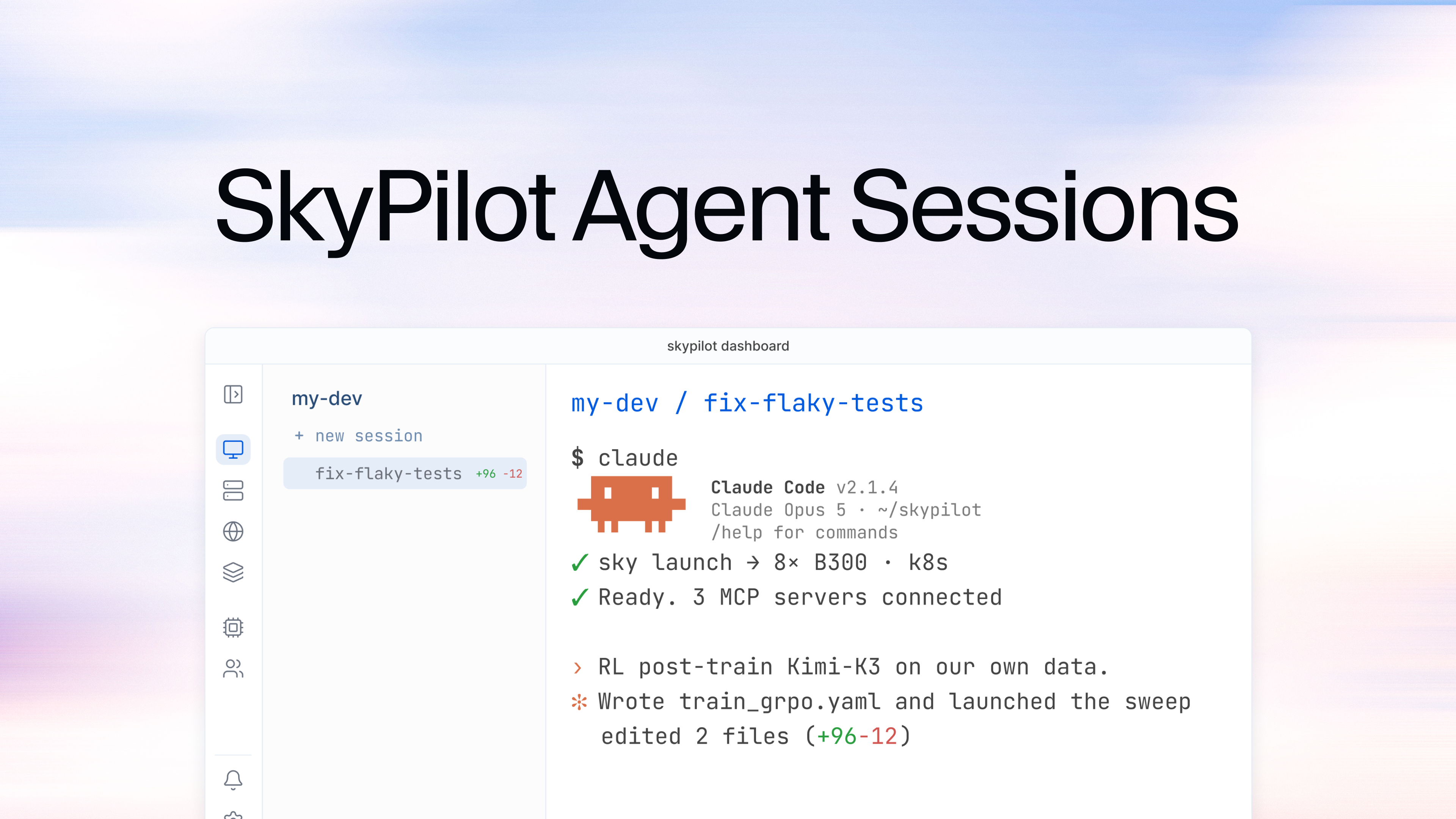
Coding agents have quietly created a new job: babysitting them. An agent working through a real task runs for minutes or hours, and it needs you at unpredictable moments: a permission prompt here, a design decision there. So you keep a terminal open, you don’t close your laptop, and once you’re running a few agents in parallel, most of your day is spent figuring out which one is stuck on you.
Agent Sessions fix this: persistent sessions for your coding agents, with a fleet dashboard on top.
- Your agents run on your own Kubernetes clusters, next to your data, your internal services, and your GPUs.
- Sessions keep working after you disconnect, and survive pauses.
- The dashboard shows you, from the CLI, the browser, or your phone, the moment an agent needs you.
We’ll walk the workflow end to end: the CLI, worktree-backed parallel sessions, the fleet dashboard, and what running on your own clusters buys you.
Start an agent, walk away #
Sessions live in a SkyPilot devspace: a persistent, pausable dev environment on your Kubernetes cluster. Create one and you land in a persistent shell:
Run your agent the way you always do:
Then press Ctrl-] and walk away. The session lives in the devspace, not in your terminal: the agent keeps working after you detach, after your laptop sleeps, after your wifi drops. Reattach from any machine and recent scrollback replays:
The connection goes over a websocket through the SkyPilot API server, so it works from anywhere your CLI can reach it. No kubeconfig, no SSH setup.
Sessions are plain shells, so this works with whatever agent you run (Claude Code, Codex, Gemini, Aider, Goose, Amp, OpenCode, Cursor) or an ordinary shell alongside them.
Dispatch work, don’t just watch it #
You don’t have to attach and type, though. From the dashboard’s session launcher you describe what you want done, pick a repository and a base branch (or an open pull request), choose your agent, and go.
Behind that button, the devspace provisions a dedicated git worktree for the session and launches the agent inside it with your task as its first prompt. Point a session at a PR and the agent starts from that PR’s head: “take a pass at review feedback on #482” becomes a one-liner.
Repositories are cloned once per devspace as a shared, blob-filtered bare repo, so even large repos provision new sessions in seconds rather than re-cloning history every time.
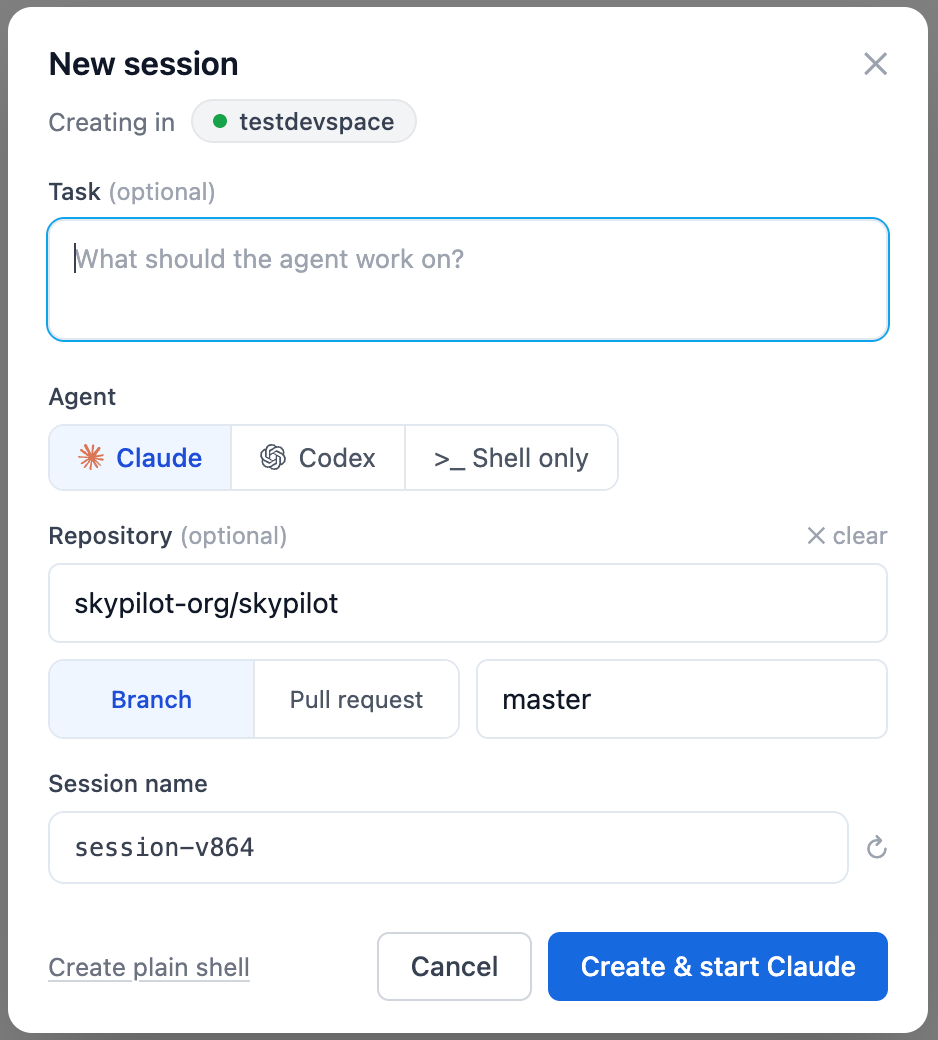
The session launcher: describe the task, pick a repo and base branch or PR, choose your agent, and go.
Parallel agents that can’t step on each other #
A devspace holds any number of named sessions, and every repo-backed session gets its own worktree on its own branch:
Three agents can work the same repository without colliding. Each works in isolation; the object store is shared, so there’s no clone-per-agent storage tax; and integrating their work is ordinary git: diff the branches, open PRs, merge what’s good.
If you’ve used Superset or Conductor, this is the worktree-per-agent workflow you already know, running on your cluster instead of your laptop or a vendor’s cloud, with as many devspaces as your team needs.
From the CLI, sessions are one flag away:
Attaching to a name that doesn’t exist creates it.
Know which agent needs you #
The Agent Sessions dashboard is the mission-control layer: every devspace in the sidebar, every session under it, each with live agent status.
- A red dot means an agent is waiting on your approval. With every session’s status in one sidebar, a fleet-wide “who’s blocked on me?” is one glance.
- A working indicator shows while the agent is thinking or running a tool.
- A quiet row means the agent is idle: done, or ready for its next instruction.
Sessions working in a repository show a +N −M diffstat when there are uncommitted changes (the repo and branch are a hover away), so you can see not just that an agent is working, but roughly how much it has done. Sessions even name themselves after the task the agent is working on, so the sidebar stays legible when you’re running many at once.
Repo-backed sessions also get a built-in diff viewer next to the terminal: everything the agent has changed against the branch it started from, updating live as the agent works, so reviewing its progress doesn’t require pulling the branch locally.
Selecting a session opens a full terminal in the browser: the same session the CLI attaches to, so you can start something at your desk and pick it up from the browser, or vice versa. The page works on your phone, so an agent that has been blocked on a permission prompt for 40 minutes is one tap to unblock.
Pause the compute, keep the session #
Sessions end when you remove them, not when you disconnect. That matters most when the compute changes underneath: an agent can spend the afternoon building an eval harness on cheap CPUs, then you switch the devspace onto an H100 for the real run, and the session comes back on the new compute with Claude Code continuing the same conversation. Done for the day? Pause the devspace to release its compute entirely:
Attach in the morning and sessions resume as they were, without re-explaining the task.
On your infrastructure, with your GPUs #
Everything above runs on your own Kubernetes clusters. That matters in three concrete ways:
Your data boundary. Source code, credentials, and internal services never leave your VPC. Secrets flow in through SkyPilot’s Secret Manager (a GH_TOKEN in your recipe, not in a vendor’s cloud). For repo-backed sessions, git authentication uses a short-lived token passed to git through an askpass helper: it never appears in command lines, remote URLs, or logs, and is never persisted in the pod.
Your actual environment. Agents run with the same network position as the rest of your infrastructure (your private registries, your internal APIs, your databases), rather than in a reconstruction of your environment in someone else’s sandbox.
Your GPUs. GPU hotswap is the CPU-to-H100 move from the previous section: agents start on cheap CPUs and get real accelerators only when the work calls for them, with files and sessions intact.
The whole comparison in one table.
SkyPilot Agent Sessions (BYOC) | Local orchestrators (e.g. Superset) | Hosted sandboxes (e.g. Conductor) | |
Where agents run | Your own K8s clusters | Your machine | Vendor’s cloud (microVMs) |
Survives disconnect / laptop sleep | ✅ Sessions live on the cluster | ❌ Tied to the machine | ✅ On their infra |
Parallel isolation | ✅ Worktree + branch per session | ✅ Worktree per agent | ✅ Sandbox per agent |
Reaches your internal services & data | ✅ Same network position | 🟡 Only what your laptop reaches | ❌ Egress gymnastics |
GPUs | ✅ Hotswap onto the devspace | 🟡 Whatever the machine has | ❌ No |
Code & data | ✅ Never leave your cloud | ✅ Stay local | ❌ Sent to a third party |
Reproducible agent environments with recipes #
Recipes make an agent-ready devspace a one-click (or one-command) template for your whole team:
Because ~/.claude lives on a persistent volume, your CLAUDE.md, settings, and credentials are already in place in every devspace you create from the recipe, whatever resources you pick.
Takeaways #
Long-running coding agents need a home that isn’t your laptop and isn’t a vendor’s cloud. Agent Sessions give you that on the Kubernetes clusters you already own: persistent sessions that survive disconnects and pauses, a worktree per session so parallel agents never collide, and a fleet dashboard (CLI, browser, or phone) that surfaces the one agent that’s blocked on you. All of it next to your internal services, your secrets, and your GPUs, with your code never leaving your cloud.
Try it: SkyPilot Agent Sessions is in limited early access. Request a demo, it takes 20 seconds.
Your code already lives on your infrastructure. Now your agents can, too.